 BorrowTag
Know who has it.Get it back.
BorrowTag checks equipment out to people with a scan. When something comes back late, it follows up for you: first the borrower, then their manager, then you.
We're opening sign-ups a few teams at a time.
When something's late, nobody has to chase it
Every loan runs on a ladder. Each step reaches a wider circle, and most items are back before anyone senior hears about it.
- A day before
The borrower gets a reminder, with a button to extend if their loan allows it.
- On the due date
"It's due today," with I returned it and Extend buttons.
- 1 business day late
An overdue notice. Extensions are switched off for this item.
- 3 business days late
Their manager is told, and can extend, acknowledge or mark it lost from the email.
- 5 business days late
The department head and the item's owner hear about it. The borrower can't check anything else out until it's back.
- 10 business days late
The item is marked lost and your equipment team is told, so it shows up in your loss report.
Days count business days in your time zone and skip your holidays. Managers get one digest, not an email per item. When the item is checked in, the ladder stops.
Lending for an hour or an afternoon? Loans shorter than a day move faster: a reminder 15 minutes before, an overdue notice 30 minutes after, and their manager hears after 2 hours.
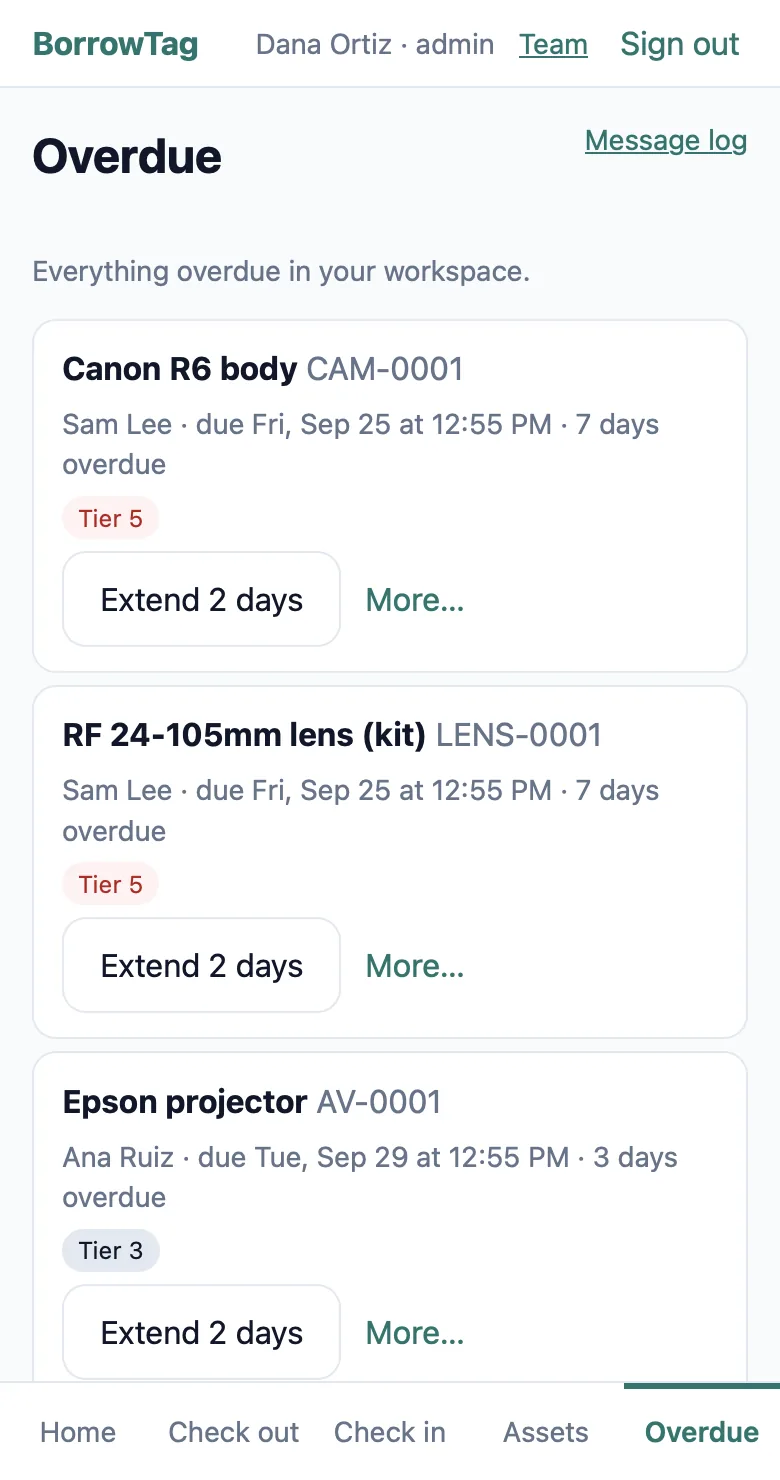
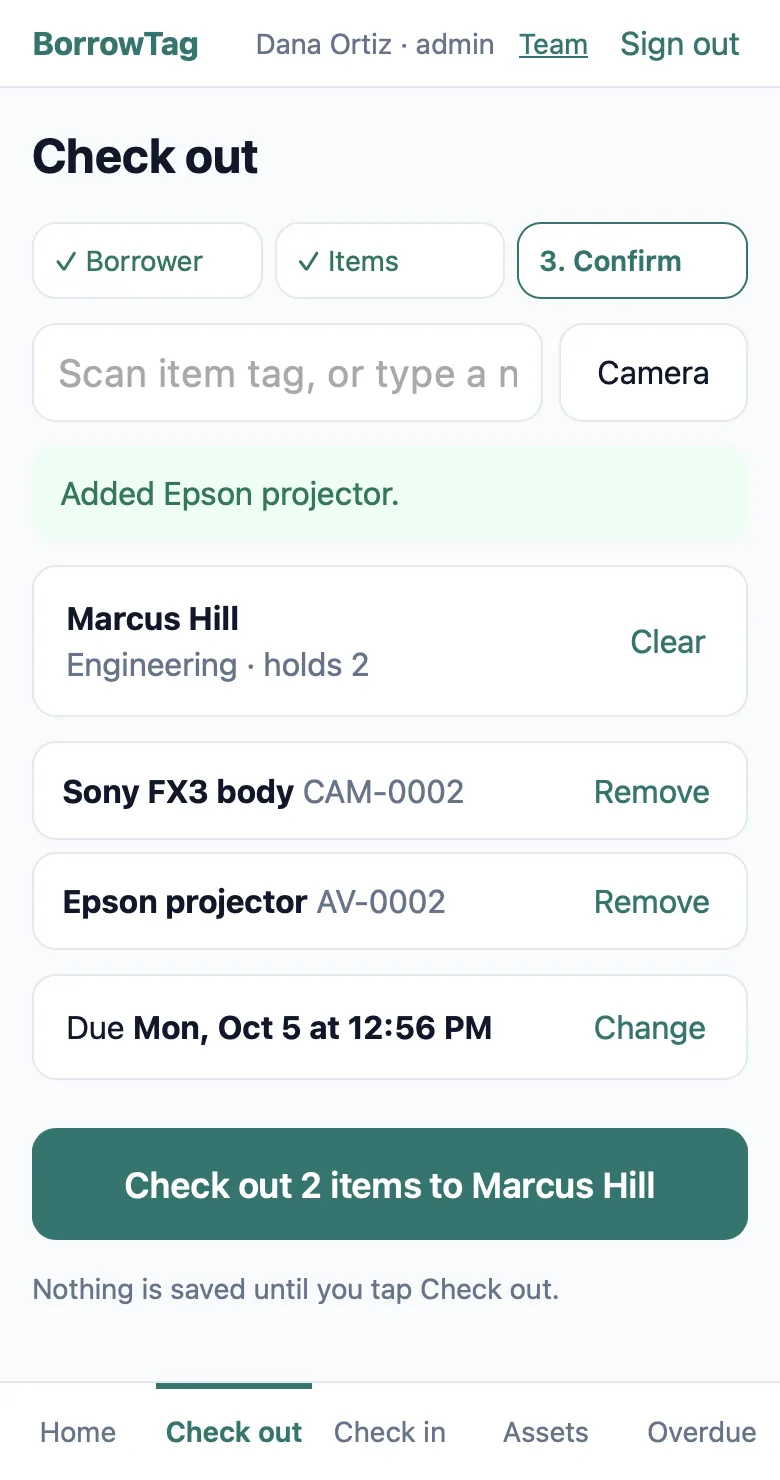
Check-out takes two scans
- Scan the person's badge, or type a few letters of their name.
- Scan each item. Kits come out as one, with every piece listed.
- Keep the usual due time, or tap 1 hour, 2 hours or 4 hours. They get a receipt by email.
Check-in is one scan, plus a tap for the condition. Anything damaged goes straight to maintenance.
Everything else it does
Any scanner, or none
Use your phone's camera, or any USB or Bluetooth barcode scanner.
Labels from the app
Print sticker sheets on an office printer, or send them to a Zebra label printer.
Bring your spreadsheet
Import from Excel or CSV. We match the columns, you check them, and nothing is saved until you say so.
Your data, any time
Export any list, or the whole workspace, as Excel or CSV in one click.
Reservations
Book items ahead, get a pick-up reminder, and no-shows are released automatically.
Signatures and loan terms
Ask for a signature on the expensive categories and skip it on the rest.
A page for borrowers
People see what they have and when it's due, without an account or a password.
Reports that answer questions
What's out, who's late, what sits idle, and what's been lost or damaged.
Pricing
Both plans include everything on this page. Borrowers never count toward your plan.
| Starter | Team | |
|---|---|---|
| Monthly | $29a month | $79a month |
| Yearly (2 months free) | $290 a year | $790 a year |
| Staff accounts | 3 | 10 |
| Assets | Up to 1,000 | Up to 10,000 |
| Borrowers | Unlimited, free | Unlimited, free |
- 30-day free trial. We ask for a card to keep spammers out. You're not charged until day 31, and you can cancel before then from your settings.
- Prices are in US dollars. Need more staff or assets? Email support@borrowtag.com.
Questions
Do borrowers need an account?
No. Borrowers get emails with buttons that work without signing in, and a link to a page showing what they have. Only your staff sign in.
Which scanners work?
Any USB or Bluetooth scanner that types into a text box, which is nearly all of them. A phone or tablet camera works too, in the browser, with nothing to install.
We're coming from BarCloud or a spreadsheet. How long does switching take?
Export your list to Excel or CSV and import it. A setup checklist walks you through sites, people, categories, labels and alerts, so most teams can be scanning the same day.
Where is our data, and who can see it?
Each workspace has its own database on Cloudflare, encrypted in transit and at rest, and backed up every night. Only people you invite can sign in, and every change is recorded with who made it. We don't sell data or show ads.
What happens if we cancel?
You keep access until the end of the period you've paid for. Export everything first in one click. After your account closes, we delete your data within 30 days, and backups age out within 35.